👥 “E-mail já em uso” ou duas contas? Como resolver isso
Each email address can only be used by one Koalendar account. If you see "Email already in use" when changing your email, or you signed up twice by mistake, here's how to sort it out.
🧭 Neste guia
- 🔍 Step 1: Find the account you want to keep
- 🗑️ Step 2: Delete the account you don't need
- ✉️ Step 3: Change the email on the account you keep
- 💡 Melhores práticas
- ℹ️ Perguntas frequentes
✅ Step 1: Find the account you want to keep
The error means another Koalendar account already uses that email, often because you signed up twice (for example once with Google and once with another address). Log in to each account and decide which one to keep: usually the one with your booking pages, bookings and paid plan.
✅ Step 2: Delete the account you don't need
- Log in to the account you don't want to keep.
- If it has a paid plan, cancel it first (see How to Cancel Your Paid Subscription).
- Click your name at the top right, then Account → Delete account (see How to Delete Your Koalendar Account).
⚠️ Deleting an account permanently removes its booking pages and bookings.
✅ Step 3: Change the email on the account you keep
- Log in to the account you keep.
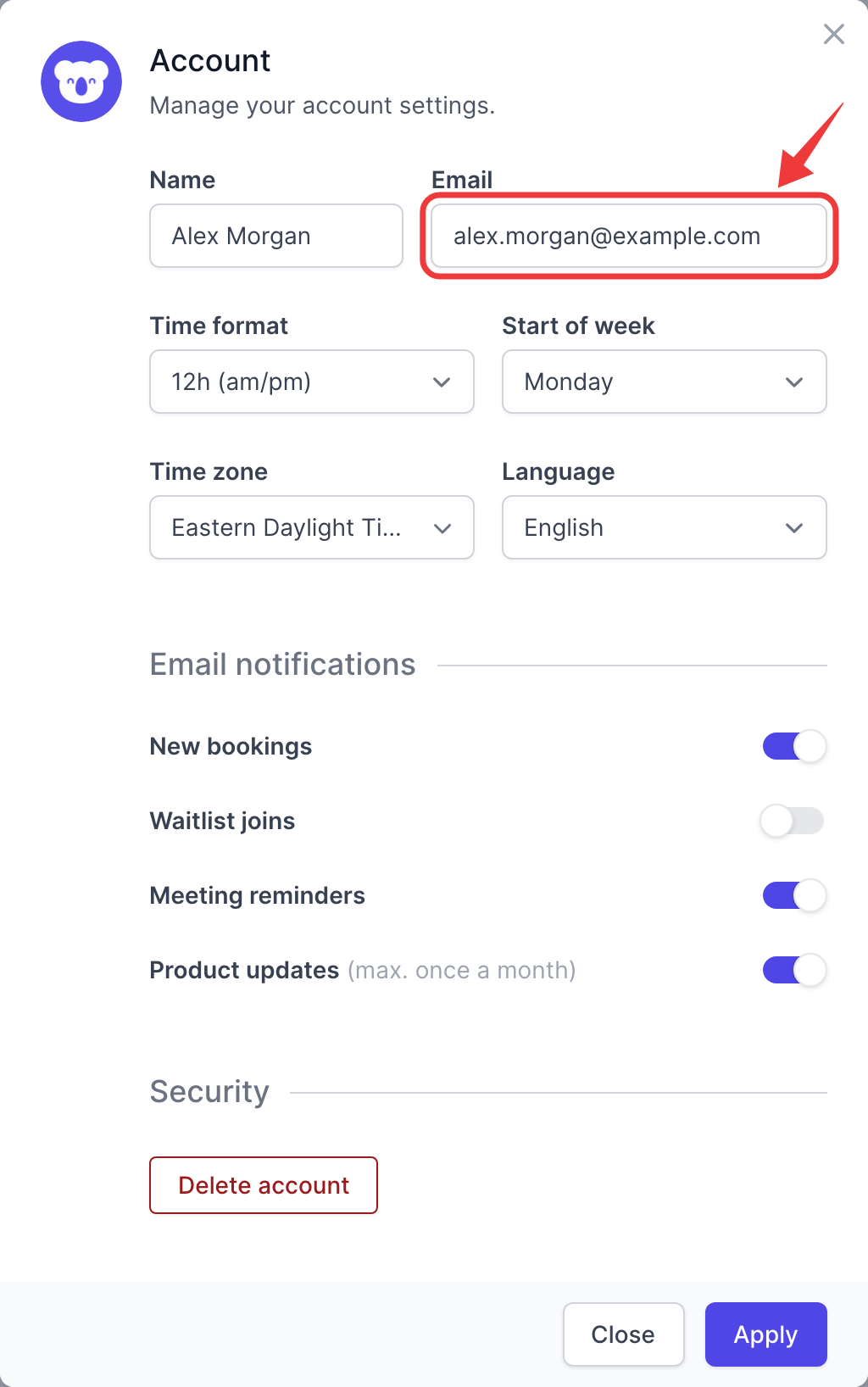
- Clique no seu nome no canto superior direito e, em seguida, em “Conta”.
- Enter the new address in Email and click Apply.
- We send a code to the new address to confirm it's yours.
💡 Melhores práticas
- Always log in with the same email address (or the same Google account).
- Working with someone else? Invite them as a teammate instead of sharing one account.