🔑 O código de login não chegou? Veja o que fazer
Koalendar doesn't use passwords: you log in with a code we send to your email (see How to Log In to Koalendar). If the code doesn't arrive, try these steps.
🧭 Neste guia
- 📂 Step 1: Check your spam folder
- ✉️ Step 2: Check the email address
- 🔁 Step 3: Request a new code
- 🛡️ Step 4: Work email? Check the filters
- 🟢 Step 5: Use Continue with Google
- 💬 Step 6: Contact our support team
- 💡 Melhores práticas
- ℹ️ Perguntas frequentes
✅ Step 1: Check your spam folder
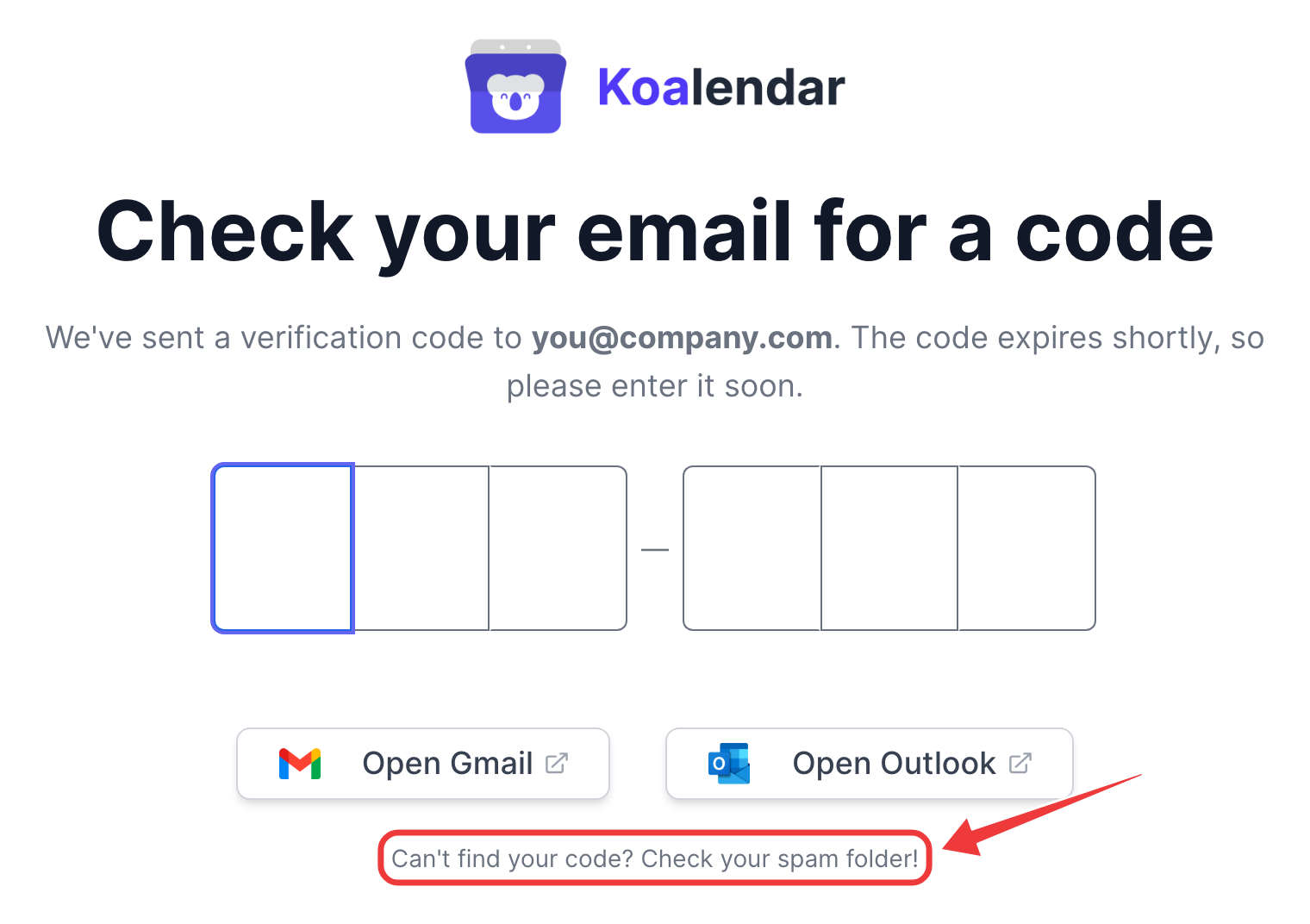
The code usually arrives within a minute. Look in Spam, Junk, Promotions or Updates, and search your inbox for Koalendar. The Open Gmail and Open Outlook buttons take you straight to your inbox.
✅ Step 2: Check the email address
Make sure you typed the email address of your Koalendar account. The screen shows the address the code was sent to. If it's wrong, click the back arrow and try again.
✅ Step 3: Request a new code
Go back and enter your email again to get a new code. Always use the latest code you received.
To protect your inbox, you can request up to 3 codes every 10 minutes. If you see a message saying you asked too often, wait a few minutes before trying again.
✅ Step 4: Work email? Check the filters
Company inboxes sometimes hold emails in quarantine. Ask your IT team to check it and to allow emails from koalendar.com.
✅ Step 5: Use Continue with Google
If your Koalendar account uses a Google email address, click Continue with Google on the login page. No code needed.
✅ Step 6: Contact our support team
Still no code? Send us a message from the chat on our website, or email support@koalendar.com. Tell us the email address you're trying to log in with, and we'll check what happened to your code and help you get back in.
💡 Melhores práticas
- Add Koalendar's emails to your contacts so codes always land in your inbox.
- Use the same email address every time, so you don't create a second account by mistake.
ℹ️ Perguntas frequentes
How long is a code valid?
Codes expire after a while for security. If yours doesn't work anymore, request a new one.
Criei uma segunda conta por engano.