📸 Como adicionar o link da sua reserva ao Instagram
Turn followers into clients: add your Koalendar booking link to your Instagram profile so anyone can book you from your bio. It takes about a minute.
✨ Available on every plan, including Free.
🧭 Neste guia
- 🔗 Step 1 – Copy your booking link
- 📸 Step 2 – Add it to your profile
- 📣 Step 3 – Share it in Stories and DMs
- 💡 Best practices
- ℹ️ FAQ
✅ Step 1 – Copy your booking link
-
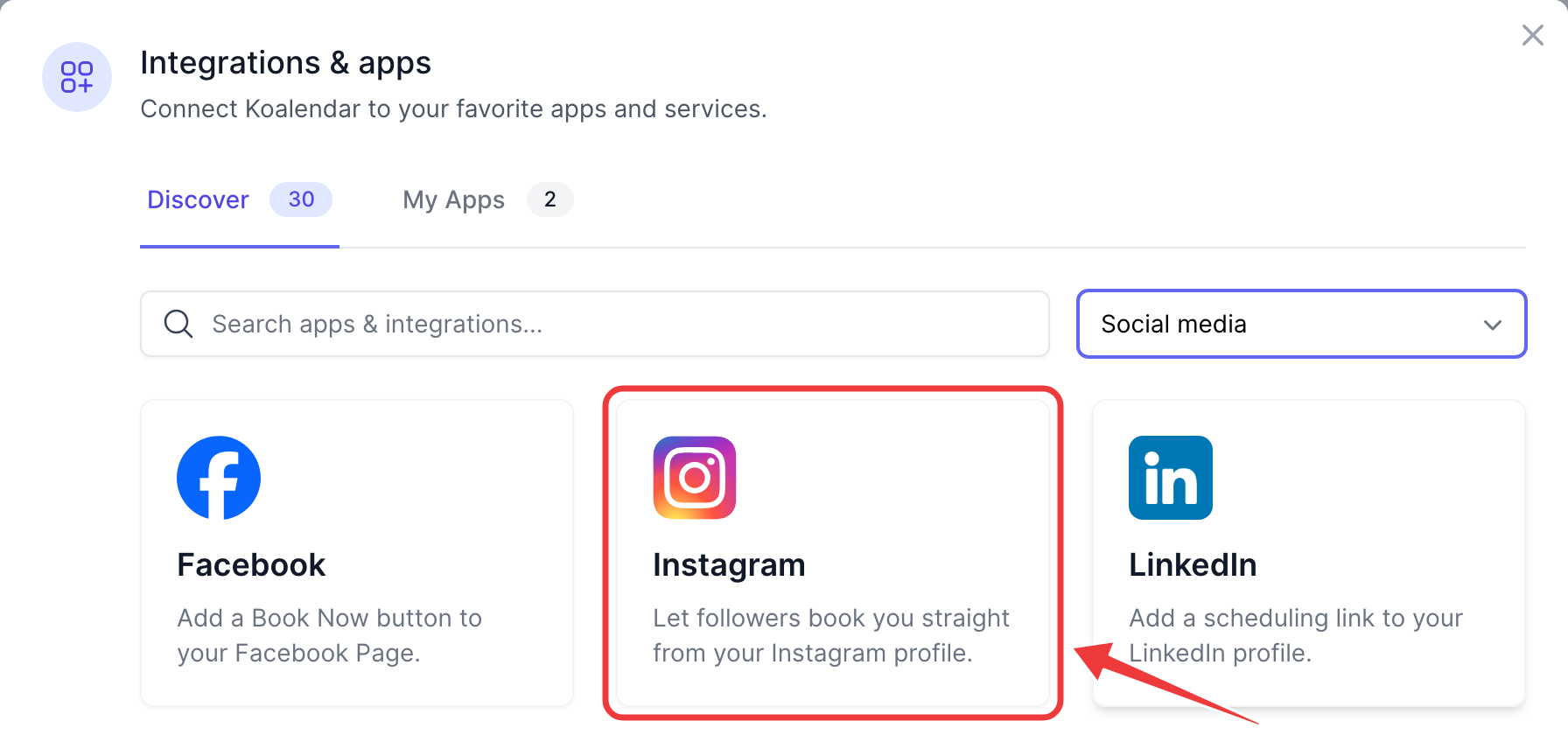
In Koalendar, go to Profile → Integrations, choose the Social media category and click Instagram.
-
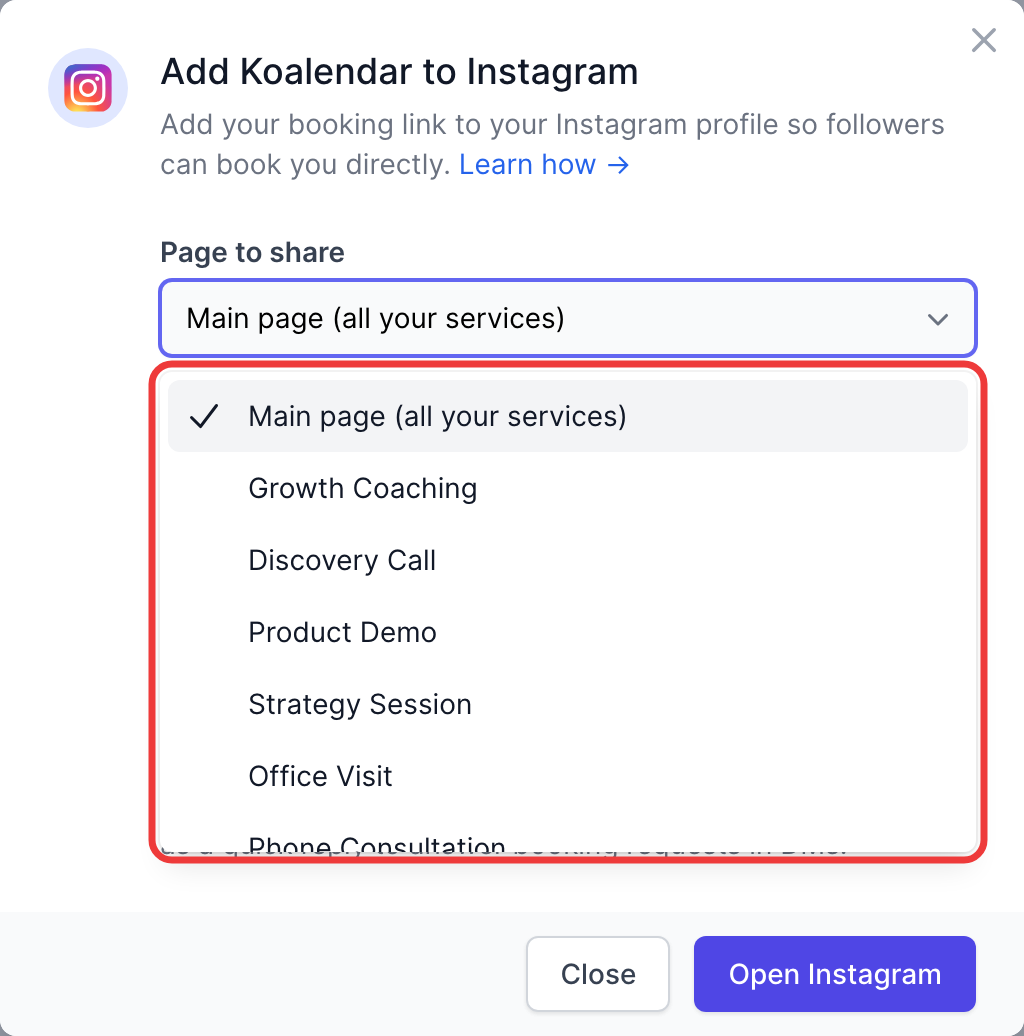
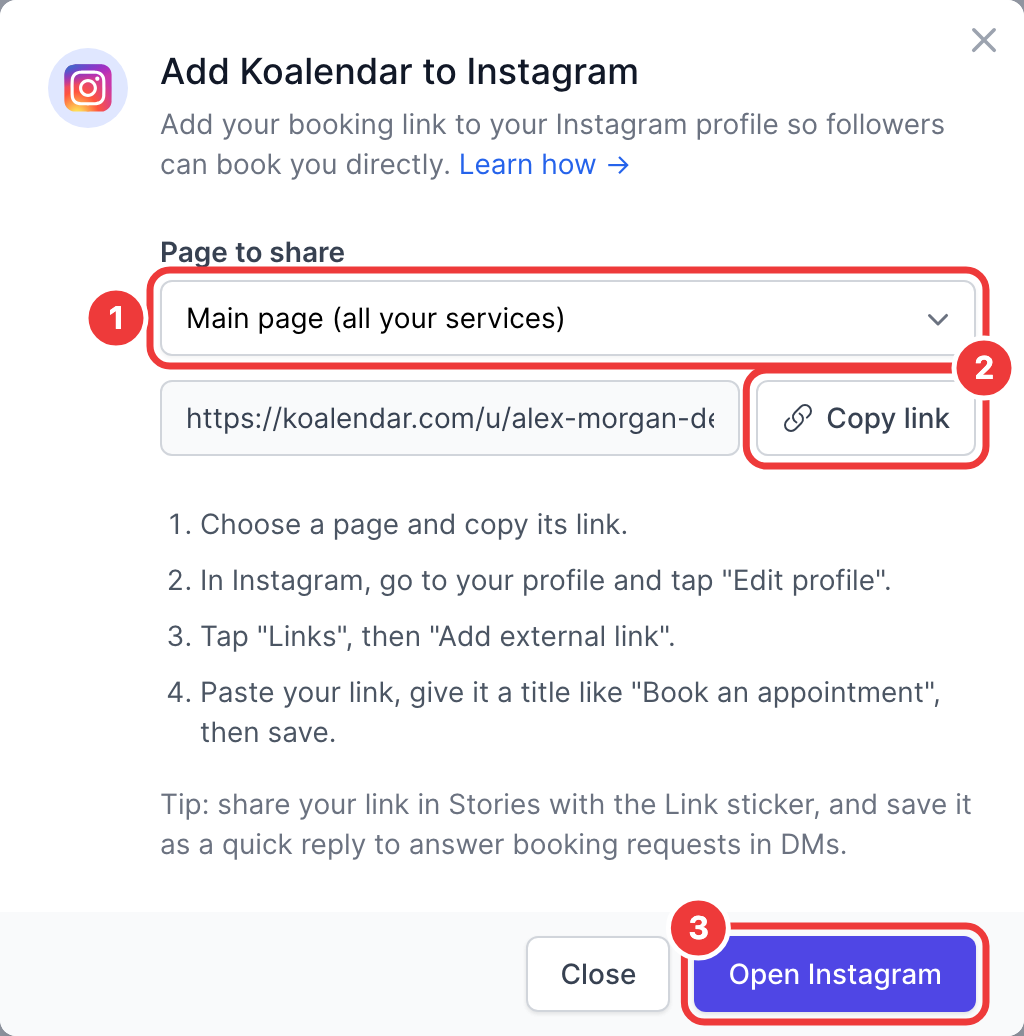
Under Page to share (1), pick what visitors should land on:
- Main page (all your services): your
koalendar.com/u/your-namepage, which lists every service. Best if you offer several. - A single booking page: goes straight to that service's calendar (
koalendar.com/e/your-page). Best if you promote one offer.
- Main page (all your services): your
-
Click Copy link (2). Open Instagram (3) takes you straight to the next step.
💡 You can also copy any booking page link from your dashboard with the Share button.
✅ Step 2 – Add it to your profile
- In the Instagram app, go to your profile and tap Edit profile.
- Tap Links, then Add external link.
- Paste your Koalendar link in URL.
- Add a Title such as Book an appointment. If you have several links, this is the label people see.
- Tap Done (✓).
🧪 Test it: open your profile from another account (or ask a friend) and tap the link. Your Koalendar page should open.
✅ Step 3 – Share it in Stories and DMs
- Stories: create a Story, tap the sticker icon, choose Link, and paste your booking link. Save the Story to a Highlight (e.g. "Book") so it stays on your profile.
- DMs: save your link as a quick reply (Settings → Business tools → Saved replies) to answer booking requests in one tap.
- Captions: links in captions aren't clickable, so write "Book via the link in my bio".
💡 Best practices
- Put your booking link first if you have several links: Instagram shows the first one on your profile.
- Use your main page to show every service, or a single booking page when you promote one offer.
- Advertising on Instagram? Add the Meta Pixel to measure the bookings your ads bring in.
ℹ️ FAQ
Can I use Instagram's "Book" action button with Koalendar?
Instagram's action buttons only work with a short list of partner apps, and Koalendar isn't one of them yet. The link in your bio works for everyone.
I don't see "Links" in Edit profile.
Update the Instagram app to the latest version. On older versions, the field is called Website.
I changed my booking page link. Do I need to update Instagram?
Yes. If you change your page's URL in Koalendar, edit your profile link too.