📤 Come esportare le tue prenotazioni
Hai bisogno di analizzare o fare il backup delle tue prenotazioni Koalendar? Puoi facilmente esportarle e aprire il file in Fogli Google o Microsoft Excel.
👀 View All Your Bookings
Click Bookings at the top of your dashboard to see every appointment:
- Filter by booking page, or search by name or email.
- Switch between Upcoming, Pending (waiting for your approval), Canceled and Past bookings.
- Pick a Date Range.
- Export your bookings (see below).
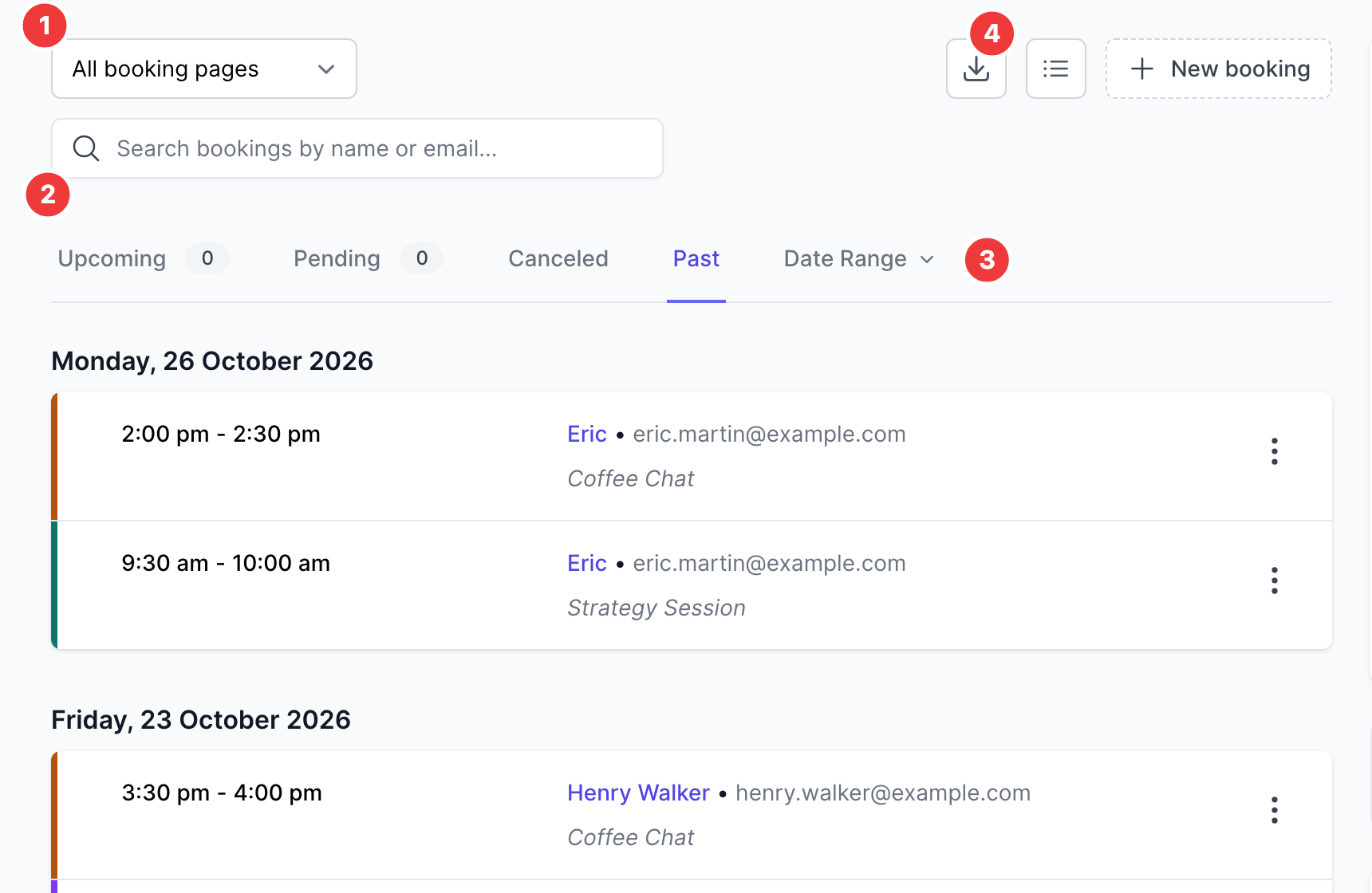
Click a booking to see its details, reschedule it or cancel it. You can also see your bookings in the Koalendar mobile app.
✅ Come esportare
- Vai alla tua Dashboard Prenotazioni.
-
Clicca sul pulsante «Esporta» in alto.

- Le tue prenotazioni verranno scaricate in un file CSV.

🗂️ Apri in Fogli Google o Excel
- Fogli Google:
- Vai a Fogli Google, clicca su File → Importa e carica il tuo CSV.
- Microsoft Excel:
- Apri Excel, fai clic su File → Apri, e seleziona il tuo file CSV.
💡 Perché esportare?
- Monitorare le presenze o la fatturazione
- Filtrare o ordinare le prenotazioni per i report
- Conservare backup offline dei tuoi dati