📘 Comment ajouter un bouton « Réserver maintenant » à votre page Facebook
Let people book you straight from your Facebook Page. Add a Book now button that opens your Koalendar booking page. It takes about two minutes.
✨ Disponible sur toutes les formules, y compris la formule gratuite.
🧭 Dans ce guide
- 🔗 Étape 1 – Copiez le lien vers votre réservation
- 📘 Step 2 – Add the Book now button
- 📌 Step 3 – Share your link in more places
- 💡 Bonnes pratiques
- ℹ️ Foire aux questions
✅ Étape 1 – Copiez le lien vers votre réservation
-
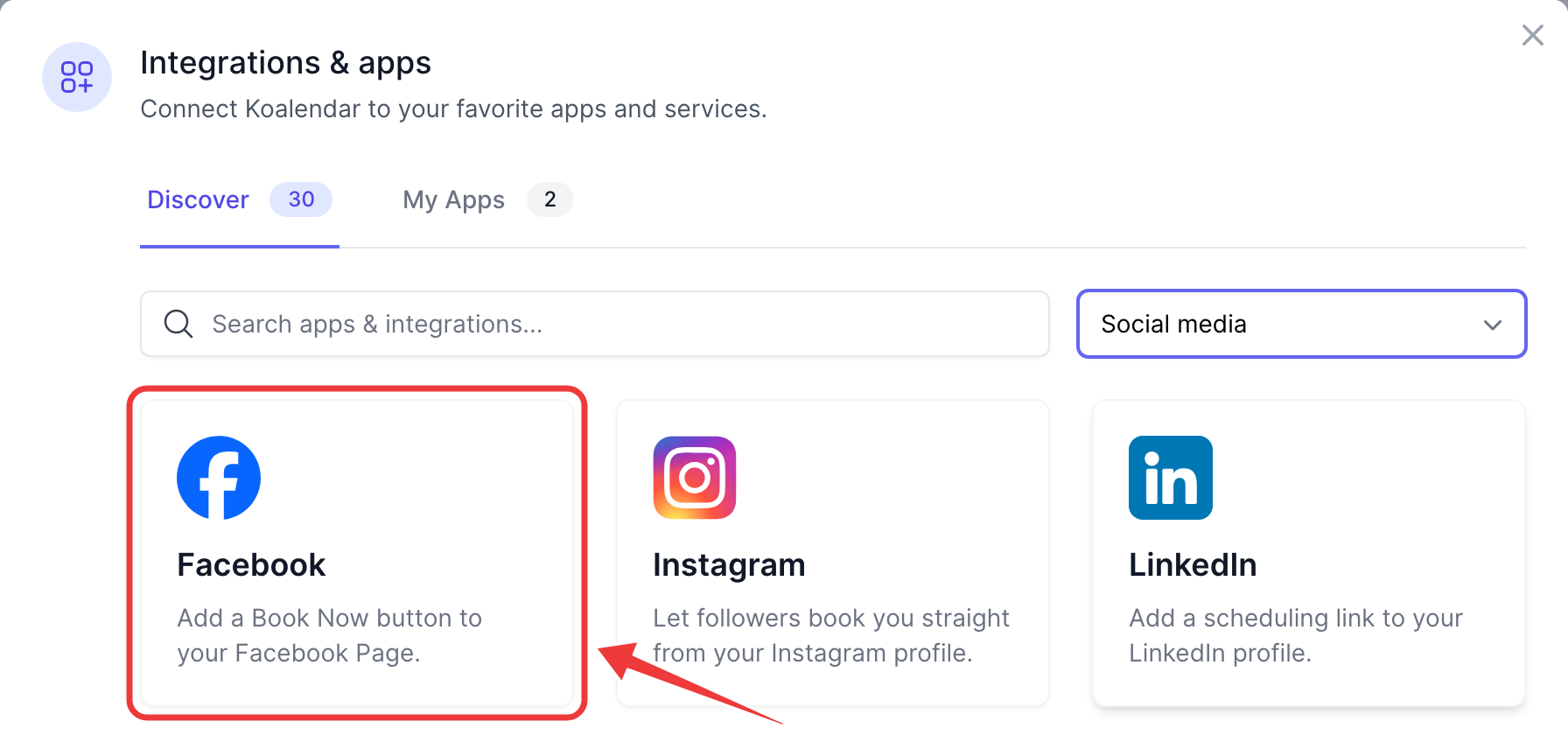
In Koalendar, go to Profile → Integrations, choose the Social media category and click Facebook.
-
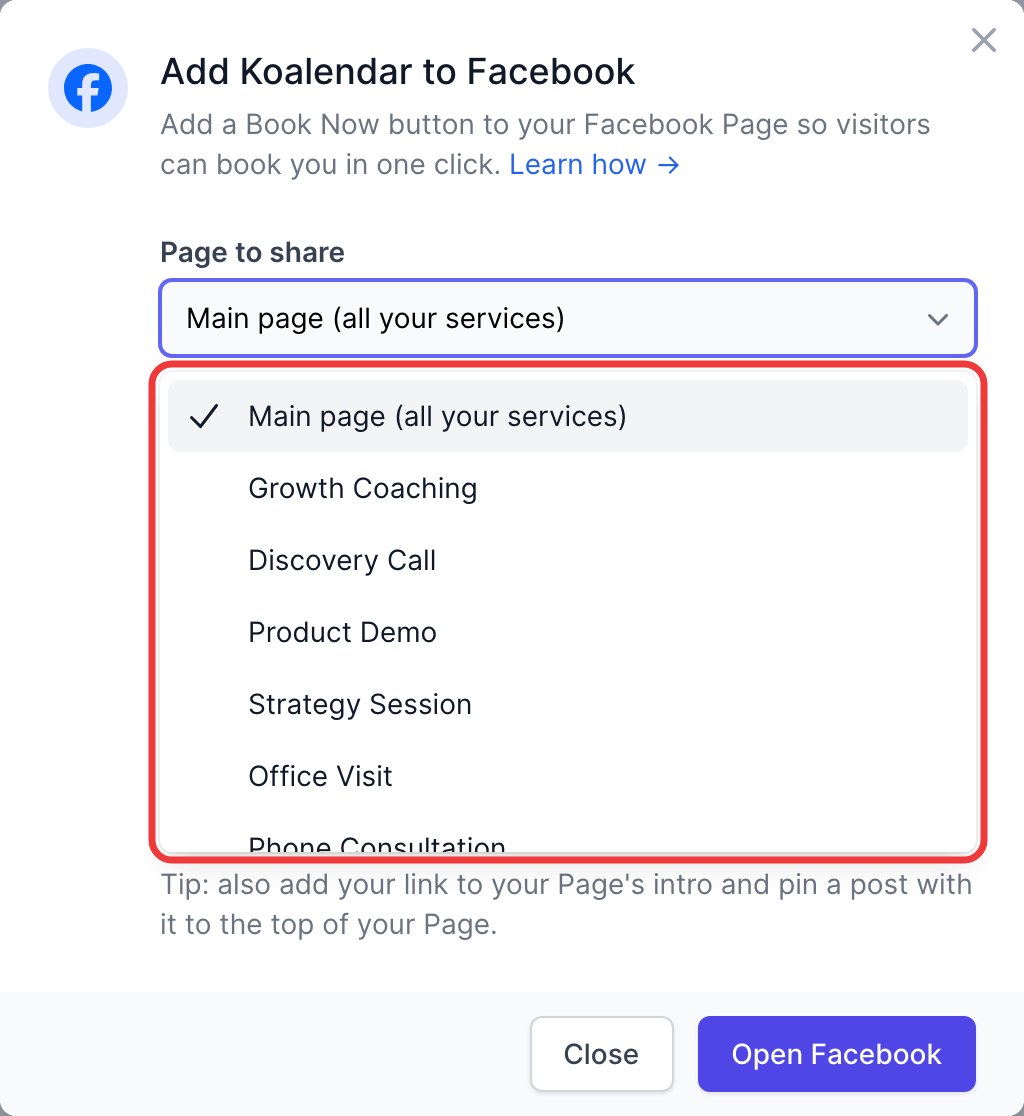
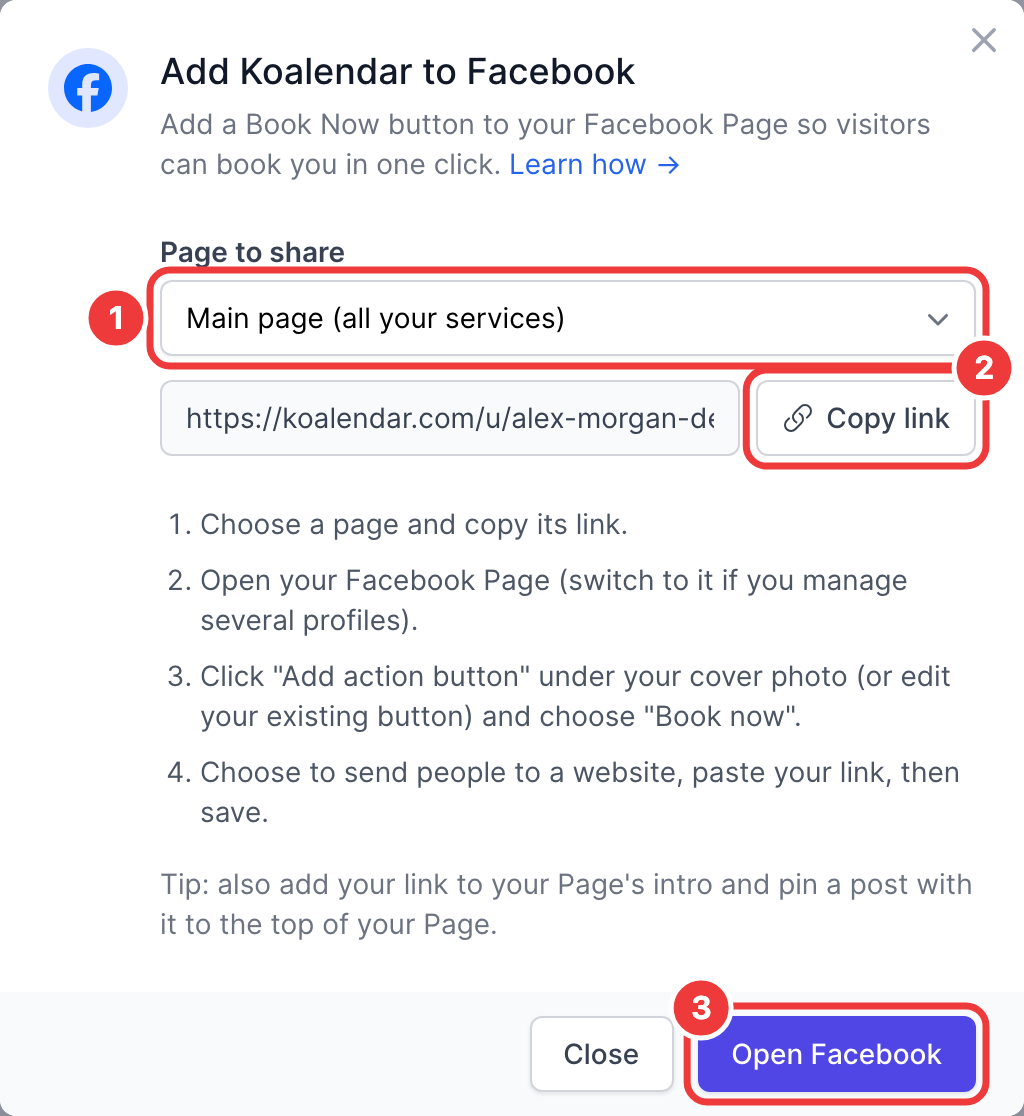
Dans la section « Page à partager » (1), choisissez la page sur laquelle les visiteurs doivent être redirigés :
- Page d'accueil (tous vos services): votre
koalendar.com/u/your-namepage qui répertorie tous les services. Idéal si vous en proposez plusieurs. - Une seule page de réservation: accède directement au calendrier de ce service (
koalendar.com/e/your-page). L'idéal est de ne promouvoir qu'une seule offre.
- Page d'accueil (tous vos services): votre
-
Click Copy link (2). Open Facebook (3) takes you straight to the next step.
💡 Vous pouvez également copier le lien de n'importe quelle page de réservation depuis votre tableau de bord à l'aide du bouton « Partager ».
✅ Step 2 – Add the Book now button
- Open your Facebook Pages and select your business Page. If you manage several profiles, switch into the Page first.
- Under your cover photo, click Add action button. If your Page already has a button, click it and choose Edit.
- Choose Book now.
- When Facebook asks where to send people, pick the website / link option and paste your Koalendar link.
- Cliquez sur Enregistrer.
📱 On the Facebook app: open your Page, tap ⋯ next to the button area, then Edit action button.
🧪 Test it: open your Page while logged out (or in a private window) and click Book now. Your Koalendar page should open.
✅ Step 3 – Share your link in more places
- Page intro: click Edit details on your Page and add your link as the Website.
- Pinned post: publish a post such as "Book your appointment online 👉 [your link]", then use ⋯ → Pin to top of Page.
- Messenger: save your link as a saved reply, so you can answer "Are you available?" messages in one tap.
💡 Bonnes pratiques
- Use your main page if you offer several services, so visitors can choose.
- Running a promotion for one service? Point the button to that single booking page for the duration of the campaign.
- Advertising on Facebook or Instagram? Add the Meta Pixel to measure the bookings your ads bring in.
ℹ️ Foire aux questions
Why isn't Koalendar listed among Facebook's booking partners?
Facebook shows a short list of partner apps for the Book now button. Pasting your Koalendar link gives your visitors the same result: one click to your booking page.
I don't see "Add action button".
Action buttons are only available on Pages, not personal profiles. Make sure you've switched into your Page and that you're an admin.
I changed my booking page link. Do I need to update Facebook?
Yes. If you change your page's URL in Koalendar, edit the button and paste the new link.