🔑 Delegar el acceso a tu cuenta de Koalendar (o a la de un compañero de equipo)
¿Quieres que otra persona te ayude a gestionar las páginas de reservas, la disponibilidad o la configuración para ti o tus compañeros de equipo? Solo tienes que añadirlos a tu espacio de trabajo y nombrarlos administradores. Los administradores pueden gestionar completamente las páginas de reservas, las citas, la disponibilidad y la configuración en nombre de otros.
🔽 En esta guía:
- Invitar a un compañero de equipo
- Asciéndelos a administradores.
- Lo que los administradores pueden y no pueden hacer
- Requisitos y consejos
1. Invita a un compañero de equipo.
Puedes invitar a alguien independientemente de si ya tiene una cuenta en Koalendar o no.
👉 Para invitar:
- Ve a tu Panel de control → Espacio de trabajo
-
Haga clic en Invitar a un compañero de equipo.


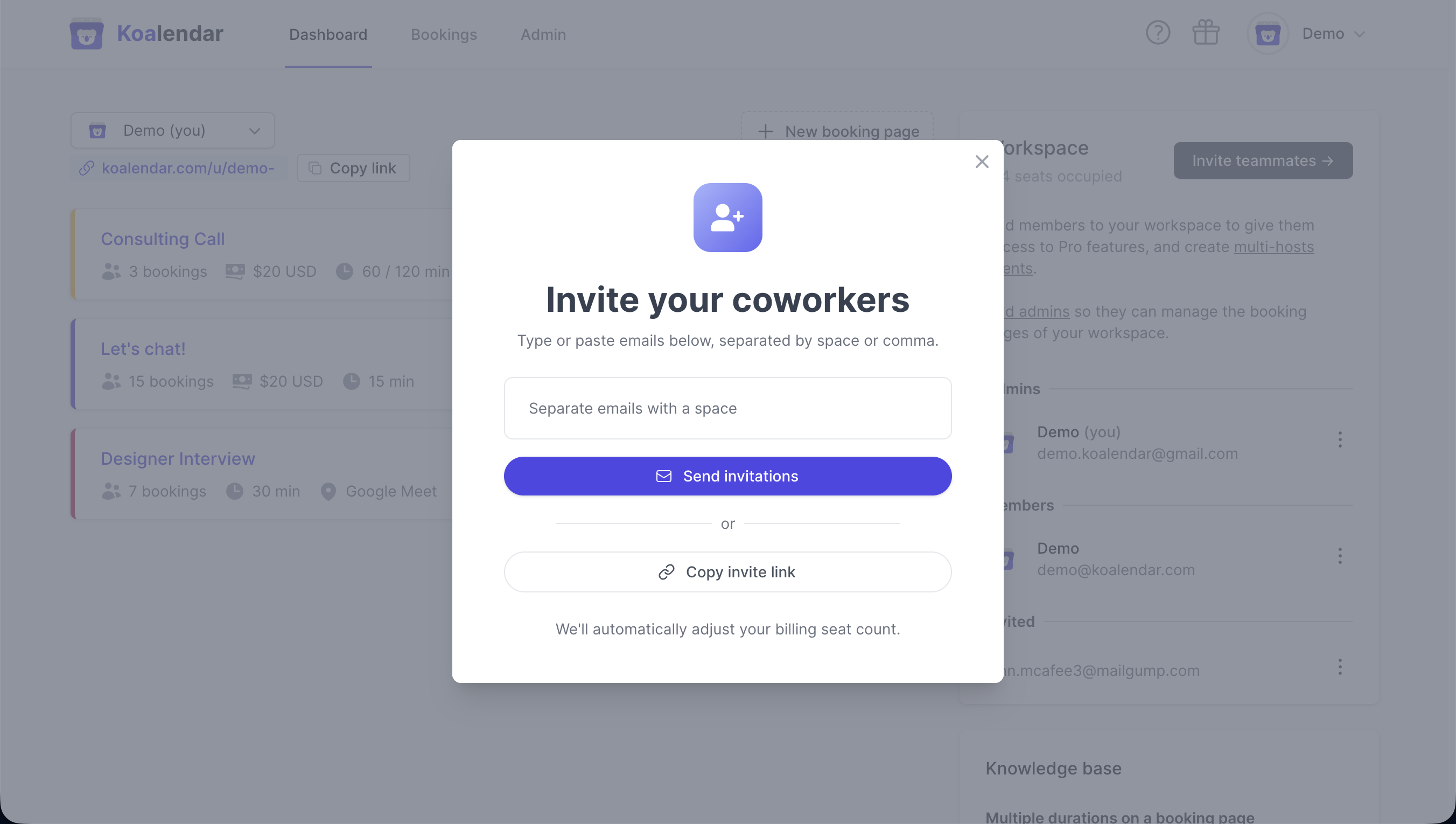
- Introduce su correo electrónico y envía la invitación.
-
Recibirán un enlace de invitación por correo electrónico. Después de seguir este enlace, serán redirigidos a esta página (si aún no tienen una cuenta de Koalendar, primero deberán registrarse):
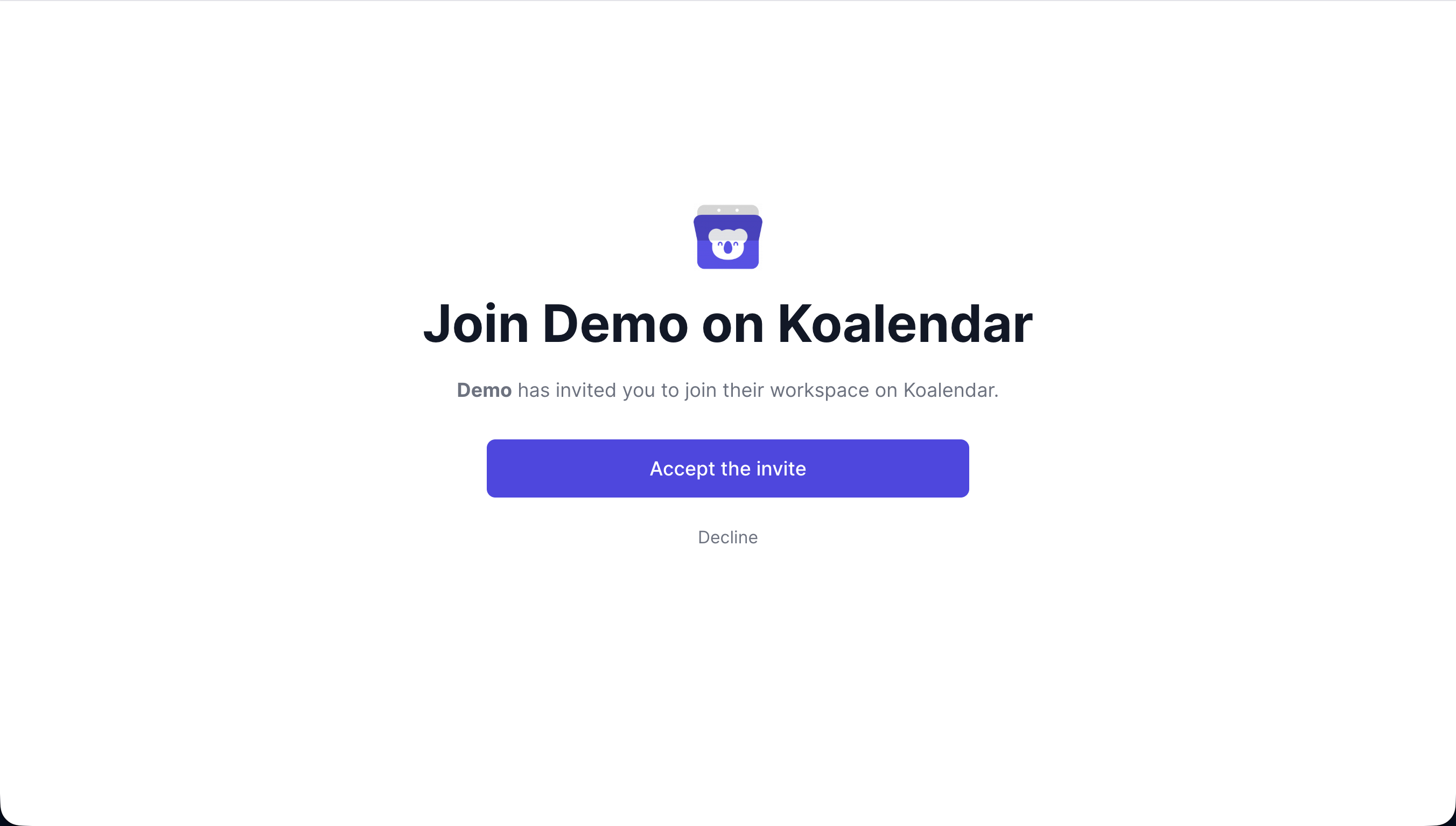
- Una vez que hagan clic en «Aceptar la invitación», se unirán a tu espacio de trabajo.
2. Ascenderlos a administradores
Una vez que hayan aceptado tu invitación:
- En la sección Espacio de trabajo, busca su nombre.
- Haga clic en el menú ⋮ situado junto a él.
-
Seleccionar Cambiar rol a administrador
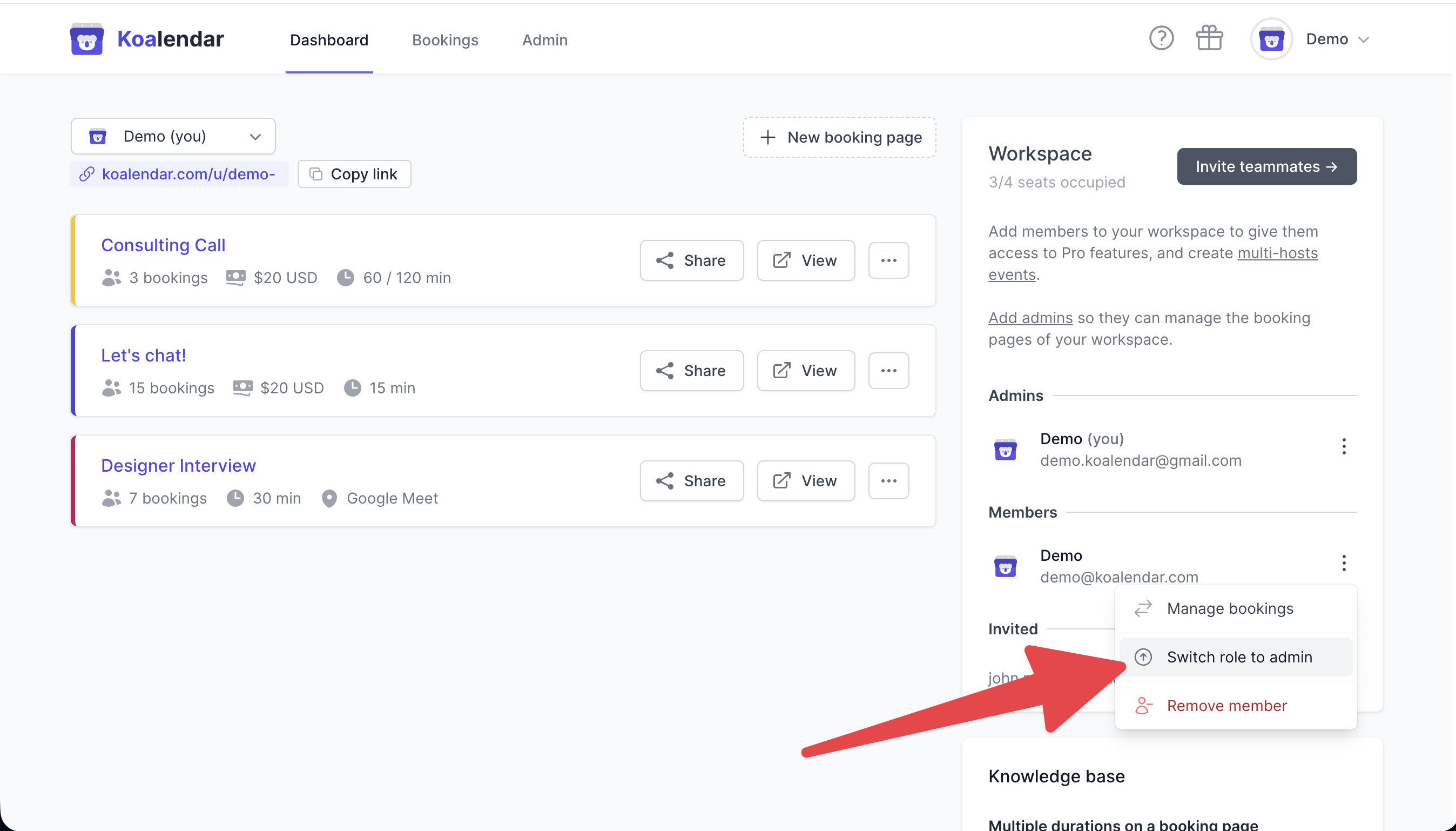
Solo los administradores del espacio de trabajo pueden cambiar los roles.
3. Lo que los administradores pueden y no pueden hacer
| Acción | Administrador | Miembro |
|---|---|---|
| Ver y editar la página de reservas de cualquier compañero de equipo. | ✅ |
❌ (solo los suyos propios) |
| Invitar/eliminar compañeros de equipo | ✅ |
✅ (no se pueden eliminar compañeros de equipo) |
| Crear eventos colectivos/por turnos | ✅ | ✅ |
| Acceder a facturación y suscripción | ✅ | ❌ |
| Cambiar las funciones de los miembros | ✅ | ❌ |
📖 Más información: Funciones del espacio de trabajo
4. Requisitos y consejos
- Puedes degradar a alguien en cualquier momento a través de ⋮ → Cambiar rol a miembro.
- Para delegar el acceso a tu propia cuenta, simplemente asciende a alguien a administrador: podrá gestionar todo por ti.
- ¿Necesitas equilibrar la programación? Prueba la selección aleatoria (Round Robin).
- ¿Necesitas que todos estén presentes en las reuniones? Utiliza los eventos colectivos.