⏱️ Cómo limitar los cambios de horario o cancelaciones de última hora
¿Quieres evitar cambios de última hora? Koalendar te permite controlar cuánto tiempo antes de una reunión alguien puede cancelarla o reprogramarla.
✅ Cómo establecer un aviso mínimo para las actualizaciones
- Abre el editor de tu página de reservas.
- Desplácese hasta la sección Disponibilidad.
- Busca la configuración «Aviso mínimo de reserva ».
-
Haga clic en el enlace que aparece debajo: «Mostrar aviso mínimo para actualizaciones».
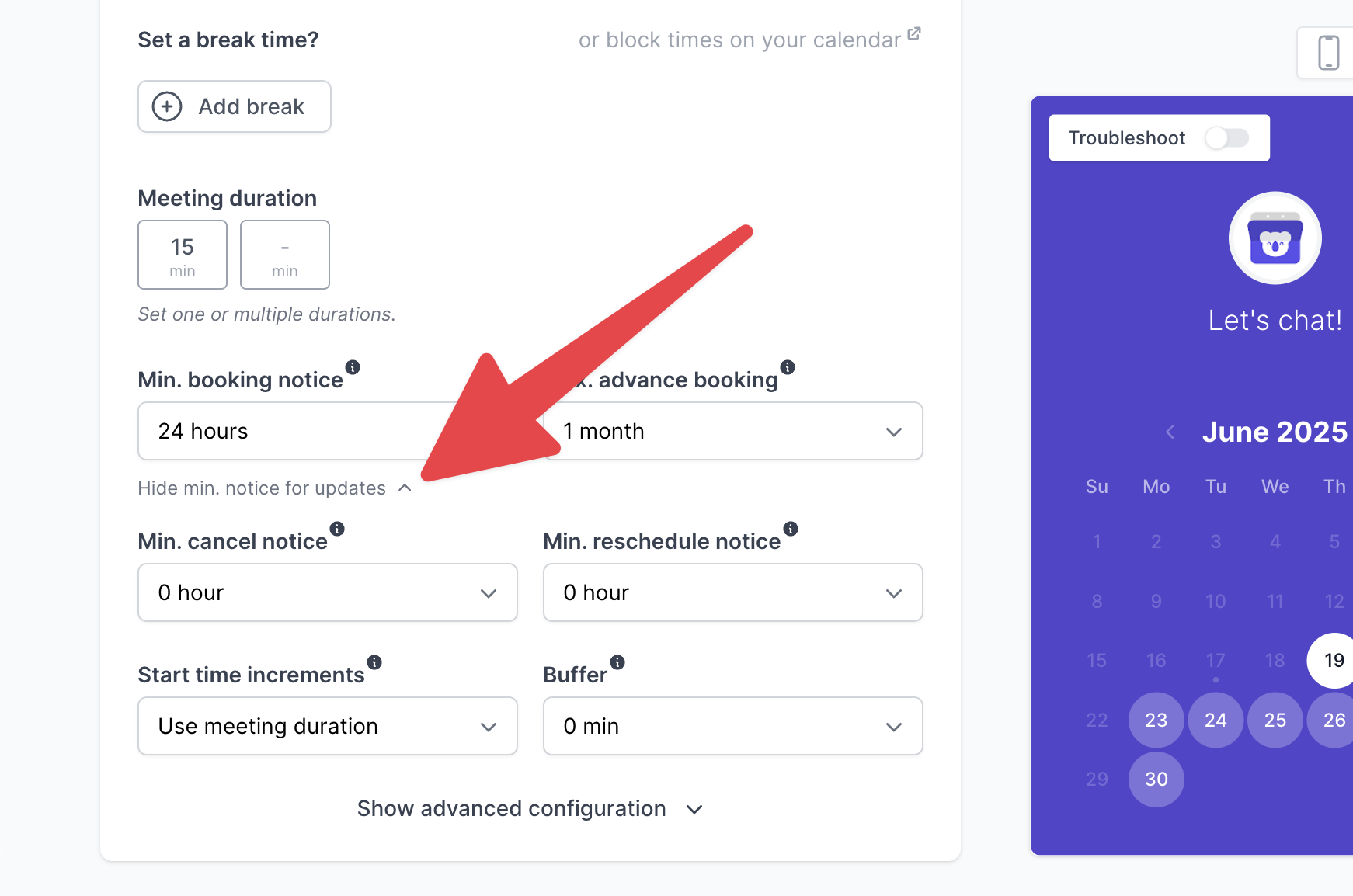
- Establezca el tiempo de aviso deseado para los cambios de horario y las cancelaciones (por ejemplo, 2 horas, 1 día).
- Guarde los cambios.
Los invitados solo podrán cancelar o cambiar la fecha si lo hacen antes del plazo mínimo de preaviso.
💡 ¿Por qué utilizar esto?
- Evita las ausencias o los cambios de última hora.
- Date tiempo para adaptarte.
- Mantén tu horario estable y predecible.