¿Qué notificaciones recibiremos mis invitados y yo después de realizar una reserva?
Koalendar envía automáticamente notificaciones por correo electrónico y calendario tanto a usted como a su invitado después de realizar una reserva. Puede personalizar completamente estas notificaciones para que se adapten a su flujo de trabajo, tono y marca.

Notificaciones
Inmediatamente después de programar
Correo electrónico de confirmación de la reserva o invitación del calendario

-
Todos los correos electrónicos y las invitaciones del calendario incluyen enlaces para cancelar o reprogramar la reserva de forma predeterminada. Pero es posible desactivarlos:
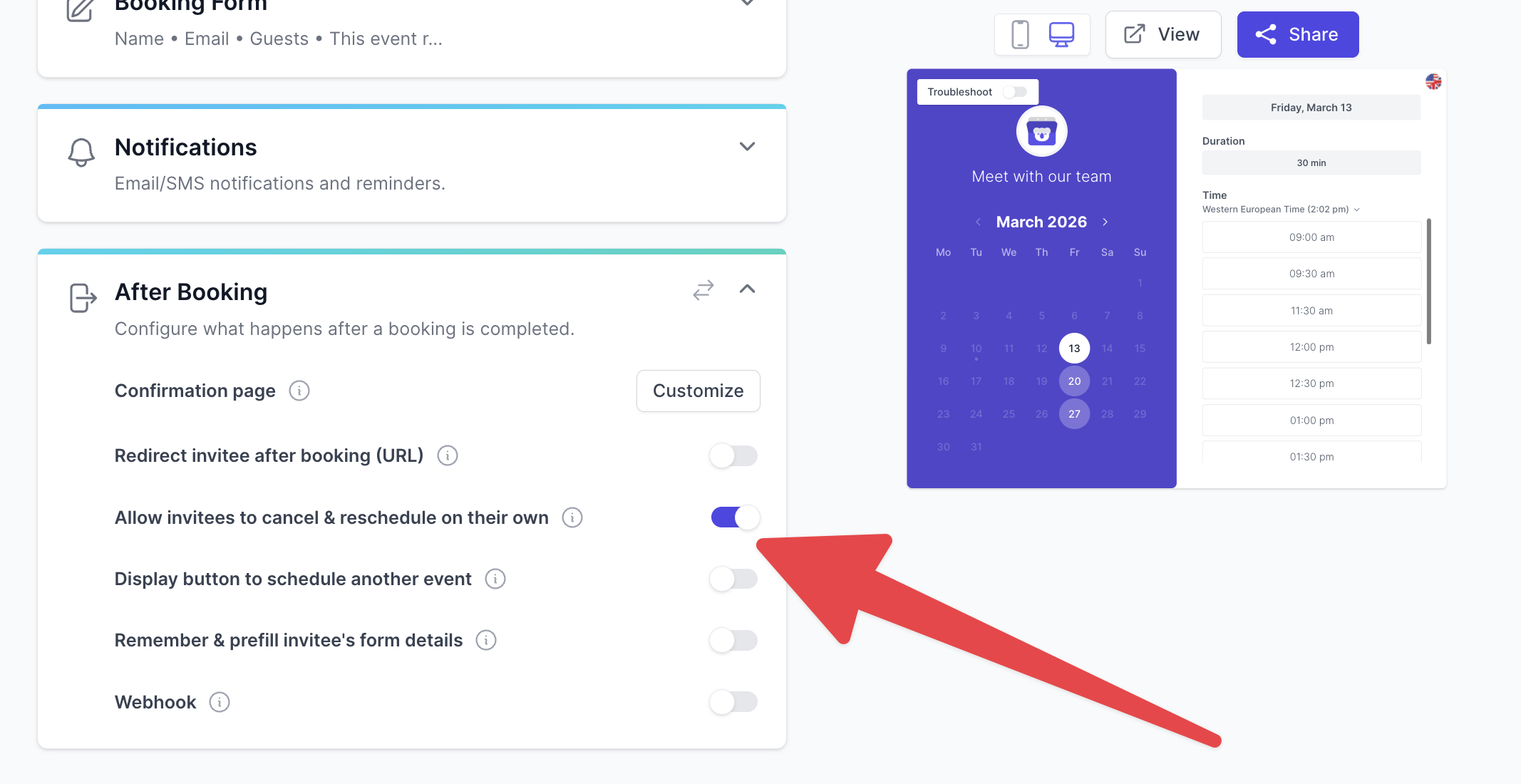
- El correo electrónico de confirmación incluye un archivo adjunto con el calendario (ics) y enlaces para añadir el evento a su calendario de Google/Microsoft/ics.
- Si has conectado un calendario, añadirá eventos a tu calendario automáticamente.
Si tu página de reservas requiere aprobación manual (la opción«Requerir aprobación» está activada), los invitados recibirán primero un mensaje de «aprobación pendiente». El correo electrónico de confirmación y la invitación del calendario solo se enviarán después de que apruebes la reserva.
Antes del evento
Puede configurar el envío de correos electrónicos y mensajes de texto recordatorios antes del evento. Esto ayudará a reducir significativamente el número de ausencias.
Después del evento
También puede enviar correos electrónicos de seguimiento automáticos a los invitados después de la reunión:
- Notas de agradecimiento
- Solicitudes de comentarios o reseñas
- Instrucciones para el siguiente paso
Todas las notificaciones enviadas a tus invitados pueden personalizarse completamente con tu propio mensaje, variables y enlaces.
Preguntas frecuentes
¿Puedo editar el contenido del correo electrónico enviado a los invitados?
Sí. Puedes personalizar completamente los correos electrónicos de confirmación, las invitaciones de calendario, los recordatorios y los seguimientos.
¿Puedo desactivar los recordatorios o las notificaciones?
Sí. Puedes activar o desactivar cada notificación en la configuración de tu página de reservas.
¿Puedo enviar también recordatorios por SMS?
Sí, hay notificaciones por SMS disponibles.
¿Qué ocurre si necesito aprobación antes de confirmar una reserva?
Tu invitado recibirá un mensaje de «pendiente de aprobación» justo después de realizar la reserva. El correo electrónico de confirmación y la invitación del calendario (con enlaces) solo se enviarán después de que lo apruebes.