What notifications will my invitees and me receive after a booking is made?
Koalendar automatically sends email & calendar notifications to both you and your invitee after a booking is made. You can fully customize these notifications to match your workflow, tone, and brand.

Notifications
Immediately after scheduling
Booking confirmation email or Calendar invitation

-
All emails and calendar invites include links to cancel or reschedule the booking by default. But it's possible to disable it:
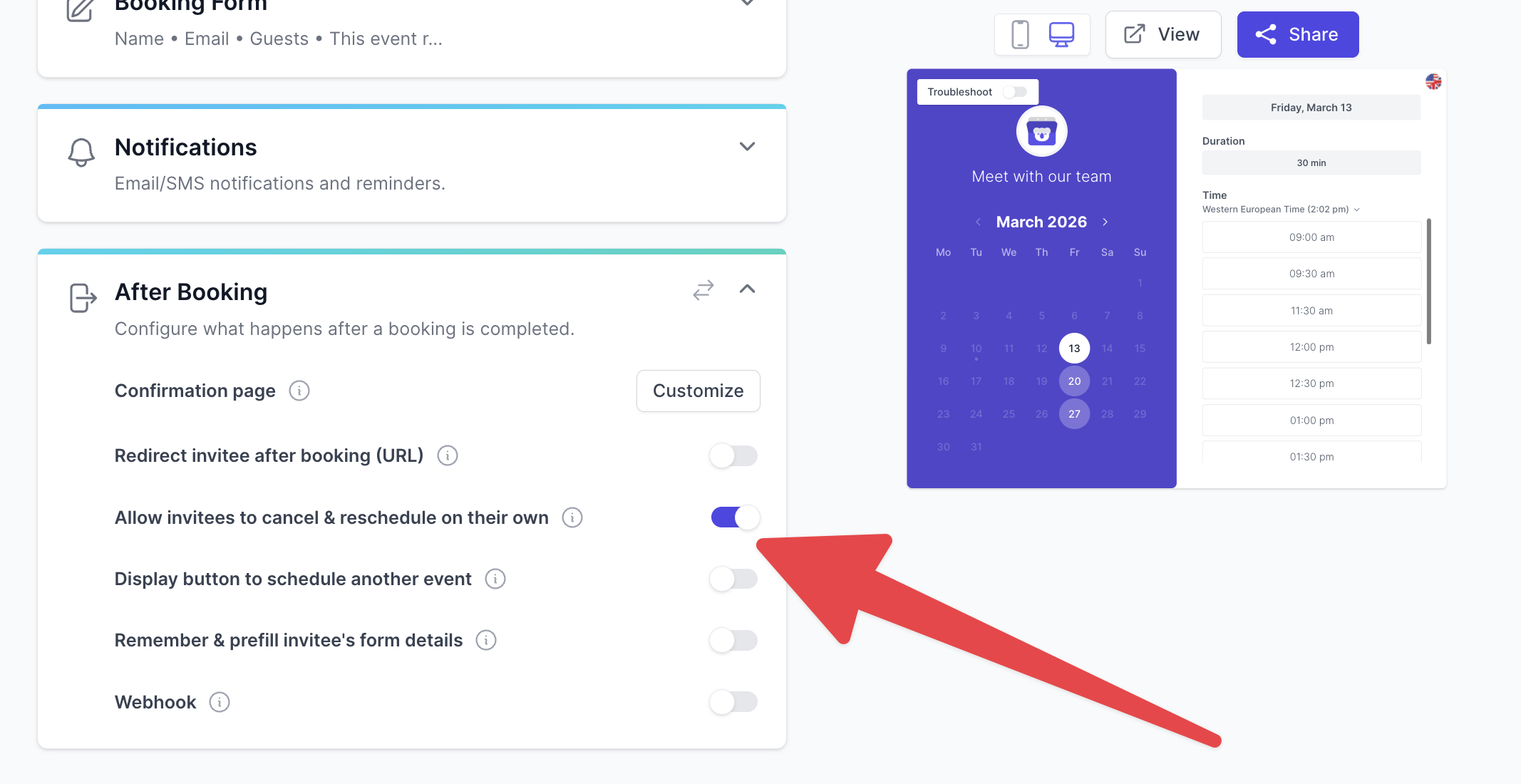
- The confirmation email includes a calendar (ics) attachment file and links to add the event to their Google/Microsoft/ics calendar.
- If you've connected a calendar, it will add events to your calendar automatically.
If your booking page requires manual approval ("Require approval" is enabled), invitees will first receive a "pending approval" message. The confirmation email and calendar invite will only be sent after you approve the booking.
Before the event
You can set emails & text reminder emails to be sent before the event. This will help reduce no-show significantly.
After the event
You can also send automatic follow-up emails to invitees after the meeting:
- Thank-you notes
- Feedback or review requests
- Next-step instructions
All notifications sent to your invitees can be fully customized with your own message, variables, and links.
Frequently Asked Questions
Can I edit the email content sent to invitees?
Yes. You can fully customize confirmation emails, calendar invites, reminders, and follow-ups.
Can I turn off reminders or notifications?
Yes. You can toggle each notification on or off in your booking page settings.
Can I send SMS reminders too?
Yes—SMS notifications are available.
What if I require approval before confirming a booking?
Your invitee will receive a "pending approval" message right after booking. The confirmation email and calendar invite (with links) will only be sent after you approve it.